Append values to a Google Spread Sheet from Java-Selenium

Google Sheets allows users to create and format spreadsheets and simultaneously work with other people. The spreadsheets are used by consumers, businesses, schools to manage spreadsheet data. With the launch of Sheets API v4 test automation engineers also can interact with google sheets via Google Sheets API and can access, update spreadsheets like a normal user.

Advantages of using Google Drive for test automation;

*Can store the test data in an external file as shared repository.

*The reusability is high.

*The flexibility and maintainability of test scripts are high.

*Any change to the test data sheet will not hamper the test script.

Let’s see how to write or append test data to a Google Sheet.

To connect to the API and manipulate documents, need to add the ‘google-api-services-sheets’ and ‘google-oauth-client-jetty’ maven dependencies:

Create a sheet like below and make it as public. You can get the ID of the sheet from the link as highlighted.

Before access the sheets through an application, Google Sheets API will require OAuth 2.0 authorization. To get the credentials, need to create a project in the Google Developers Console and then enable the Google Sheets API for the created project.

Then go to the first step in the Google Quickstart guide and download the client configuration file ‘credentials.json’ by clicking on ‘Enable the Google Sheets API’ button.

Copy the downloaded ‘credentials.json’ file to ‘src/main/resources/’ in the working directory.

Below are the properties I’m going to use in my code. I have defined them in my framework property file which can be externally accessed.

Then create a class in your solution to maintain the Google Sheet operations. In my case the class name is ‘GoogleSpreadSheetHandler’. As the first step for interacting with Google Sheets, need to create a Sheets object which is the client for reading and writing through the API. That uses the ‘getCredentials’ method to get the credentials.

To write or append the test data to the sheet I have created a method called ‘appendDataToSpreadSheet’. Inside the method you have to retrieve following properties which we have defined inside the framework property file,

*spreadsheet ID: The ID of the spreadsheet to update

*Range : The range that you are going to use in the sheet.

*valueInputOption: controls how the input data will be added to the sheet (column-wise or row-wise).

*insertDataOption: How the input data should be inserted.

Above parameters are used to send the Google Sheets API request with the request body. The request body contains the data that I’m going to write to the Google Spread Sheet.

Your method call would be like below,

GoogleSpreadSheetHandler.appendDataToSpreadSheet(“a”,”b”,”c”);

Upon calling the method you would be able to write the test data to the Spread Sheet.

Cheers !!

Build your own API Automation Framework using REST-Assured

I had to create a framework to automate the API test suite of our company. Since the company is more towards open source, I had to select a tool to match with that requirement. Nowadays companies are more towards DevOps and the teams need quicker test results which are integrated with CI/CD. Our framework must be easily maintainable, reusable and stable. To get the advantage of that, it is better to create our framework from the scratch with the utilization of open -source tools and libraries which does not depend on third party vendors. Since I’m more towards Selenium- java, REST-Assured is my choice to develop the framework. REST-Assured is a fluent java library you can use to test HTTP-based REST services.

This framework may not always suite your needs or may need modifications based on your requirements. I just wanted to share the basic structure and technologies that I have used. This framework can be divided in to following major components,

  • Requests
  • Data Classes
  • Base
  • Test Cases
  • Response Handler

In the below screen you can see my project structure and I will discuss each component briefly.

Requests

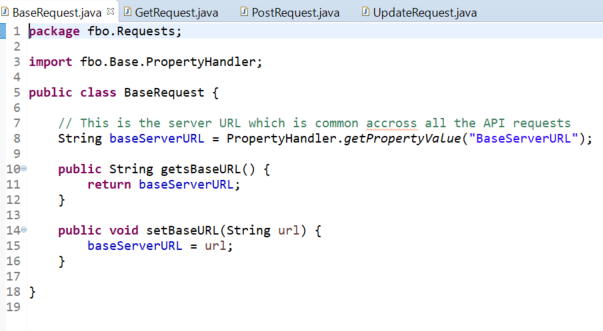
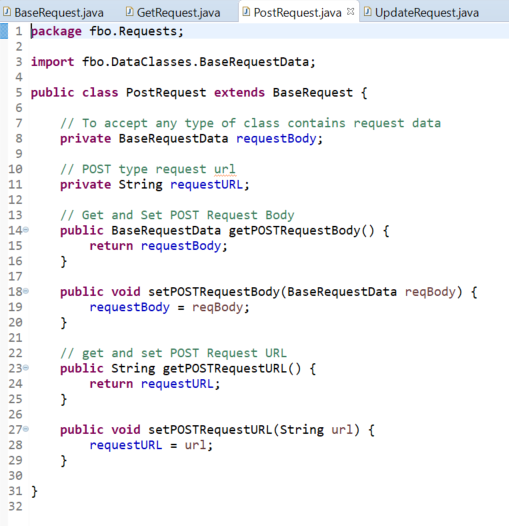
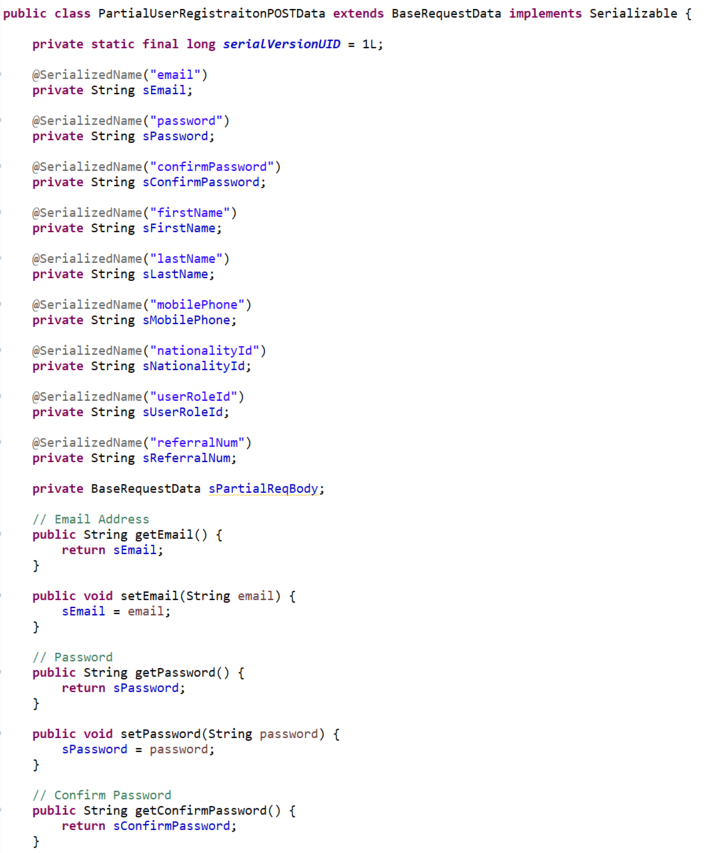
In the Requests package I have created the GET, POST, UPDATE and DELETE request classes in below structure. The four types of requests are inheriting from the ‘BaseRequest’ class to accept any type of class contains request data.

Data Classes

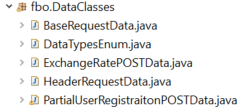
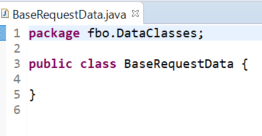
In the DataClasses package, I have included all the data classes in serialized format. Basically, these are the data that I send with the API request. I just created a class named ‘BaseRequestData’ and inherited it to all the other data classes to pass any type of data class into methods.

Base

Inside the Base package, I have included the API request types (core), the excel reader class, property handler and my reporter class (Extent Reports). The most important part inside this package is the definition of reusable request types.

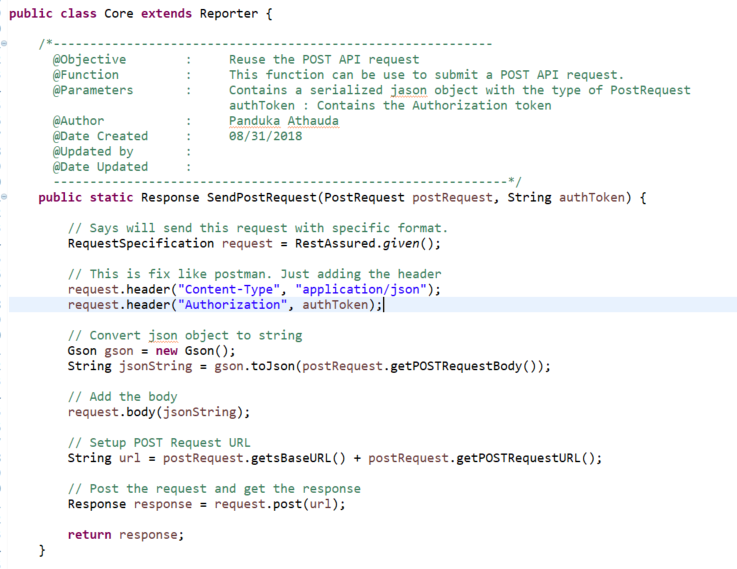
The method definitions of reusable API calls are defined inside the Core class. Below is the reusable method that I have created for POST request.

Likewise, you can create reusable methods for GET, UPDATE and DELETE requests as well.

Test Cases

In my test case I have used data providers to read data from Excel sheets. Then I have created the relevant data class object and feed the data that I want pass in the request body. With that data I have created my POST request and then pass it to the ‘SendPostRequest’ method which I shown in previous section. That method will return a Response object.

Response Handler

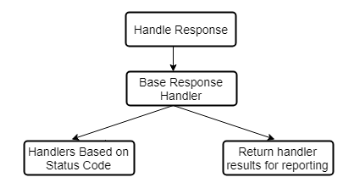
Based on the requirement, I had to create different handler classes to handle and verify the response received.

As you can see in the above design, I have created a class named ‘BaseResponseHandler’ which is common across all the classes.

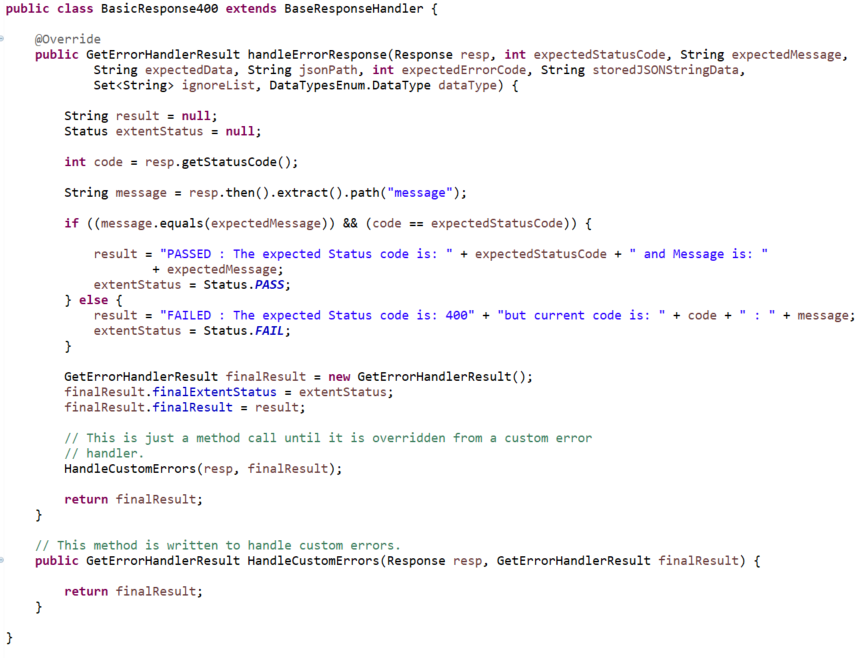
Then I have customized the ‘BaseResponseHandler’ class according to different types of responses as shown in below.

Hope the above article will help software testers and companies to design and build their own automation frameworks and get the benefit of it.

Design a site like this with WordPress.com
Get started